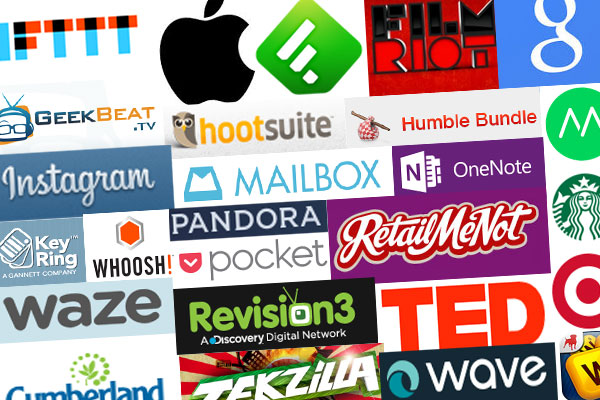
Welcome to my top ten 2013 list of services and companies that I swear by! Â These companies are all easy, intuitive, fun and get out of your way while providing you with great benefits. Â I am certain there are other great products out there I haven’t been acquainted with, but these are certainly my favorites that are not super obvious, like my Samsung TV or my self-built computer which are some of my prized possessions. Â After reading, I would love to hear your feedback and experiences below in the comments, don’t be shy!
IFTTT
IFTTT stands for If This Then That, this means that sole purpose of the service is to have one application take an action if something else is triggered… horrible explanation I know, but this is hands down my favorite service I’ve seen created in years. Â Here is a real world scenario, if it is going to rain, send me a text telling me. Â This is great for planning your trip home. Â This is a very easy, consumable recipe (that’s what they call each automated task) in IFTTT. Â It gets way more awesome than that. Â Let’s say you have a Wemo (internet connected home automation device), you can have IFTTT turn the lights on if you arrive at home through the use of your cellphone and foursquare. Â IFTTT is one the most amazing automation tools I have ever seen. Â You can even have it save every photo you are tagged in on facebook to dropbox so you always have a copy for yourself. Â I highly advise that if you haven’t tried this service to go out immediately and see what works for you. Oh, did I mention there is an iOS app? Â Label an email in gmail and have it create an iOS reminder to follow up on it!
iPhone
I am a firm believer that technology should make your like easier. Tech, should never get in your way and it should just work. Â For me, the phone has become a business tool instead of an entertainment device. Â As a result, I can’t afford to have any issues. Â While I am not a huge fan of Apple products in general, the iPhone has been a the conduit to some of the most amazing things in my life from taking high quality photos and video of my new baby girls to allowing me to work from just about anywhere I am. Â So, if I have to run out for a family emergency and something goes awry at work, I know it is just going to work. Â It wouldn’t be fair to talk about the iPhone without mentioning my favorite apps, it also wouldn’t be a top ten list if I listed them separately, so here is a quick list of some apps I can’t live with out (ok, I could probably live without them but they are still awesome).
- Mailbox for iPhone – One of the biggest flaws with email clients is feasibility of following up with important emails and getting rid of the ones that don’t matter. Mailbox works with your gmail account to allow you to set a time to follow up with an email and the email will disappear until that time, so you know to follow up keeping your email clear, empty and consumable.
- Waze – All the awesomeness of Google maps with real-time reports of cops, construction, and other road issues from other users on the road.
- Cumberland Farms Smartpay – Do you go to cumberland farms for gas? Using this app, you can pay for items in the store by scanning a barcode on your phone, save 10 cents per gallon, and earn free drinks just for using the card.
- RetailMeNot – Has all of the best coupon codes and lets you know where there are deals near you, what’s not to like?
- Key Ring – Sure iOS has passbook, but unless you install an app that has a passbook extension, you still have to have those royalty cards on your key-chain. Also, what a waste of space installing apps for all of these services because the company is to lazy to create an intuitive responsive website. Not with this app, you can load all of your card’s bar codes and throw away the key chain cards!
- Instagram – Not only is taking and sharing compelling photos and videos easy, they managed to create a vast social network of probably everyone you know.  I am a very visual guy, and I find myself checking it quite often.
- Hootsuite – getting involved in social media marketing, is hard work.  Having the option to post once and send to many is a must if you don’t have the means to hire a whole team.  Additionally, the post scheduling is great so you can reach the largest possible audience at the right time without having to think about it.
- Pandora – Free, high quality music that works by providing you with other music that matches a similar audio signature to the songs you like makes it my favorite for discovering new music.  Also, the ability to shuffle all of your loaded stations helps keep it in check and cycle through the actual songs you want to hear.
- Pocket – Find a longer article that you don’t have time to read?  How about an article on a website that is very distracting? Want to keep a collection of articles to refer to later because you are researching something?  This app does all of this.  It imports the articles for later viewing in a very clean and distraction free zone. And, if you want, here is a productivity tip for turning text articles into a podcast with pocket!
- Feedly – follow a lot of websites and don’t like going to all of them individually? Feedly is the best feed reader hands down.
- Words with Friends – I am addicted. I play all the time and don’t know why.  Probably the longest game I’ve played on the phone.
- Moves – Want to track your movements, but don’t want to shell out $100 for a fitbit or jawbone? This app does a great job at showing how much you move in a very distraction free way.  It also lets you know if it stopped tracking for any reason.
- Commercial Break – This app just works. Â There are some limitations on the stations it supports, but for important things like football games, knowing when the game comes back from commercial is such a valuable tool to have. Â Especially if you have kids or other responsibilities that keep you from keeping your full attention on the game.
Whoosh!
Whoosh! is a disinfecting screen cleaner that is safe. How safe? Â You can spray it in your mouth and not have to call poison control. Â That doesn’t make it weak by any means. It is proven to kill more bacteria than harsh chemical cleaners and does an amazing job of cleaning screens, glasses or anything glass really and actually helps to prevent further smudging.
Google is like a drug, once you start using the services, you are instantly hooked into digging deeper and deeper into it’s ecosystem. Â For much of Google there is a feeling of, it’s great and convenient, but they leave much to be desired; however, when they do it right, they provide services that are just what you need.
- Voice – A bit over a year ago, I got a new iPhone through work.  I already had an Andriod, but no longer needed two smartphones.  I wanted to get rid of my phone, but wasn’t willing to give up my number and use a work provided number that could theoretically be taken away at anytime with little notice. For $20, I ported my number into Google Voice and am able to keep my old number and even route the calls to my new phone.  What I didn’t suspect was how awesome it would be to have email sent of transcripts of voicemails and running two numbers on one phone.  Now, with the integration into hangouts, calling people from my laptop makes things all the more convenient. Finally, having the option to setup a dedicated business line for free is another plus for me!
- Gmail – Well, I use Gmail for everything except EMC.  I interface with it hundreds of times a week and rarely ever have a complaint.  It just works and works well.  Plus, having google searching of my email at my finger tips makes labeling a thing of the past.
- Chrome – Not only does Chrome have an extensive library of addons, developing websites on it is just enjoyable.  Then, you add the google syncing of passwords, history, and the fact that chrome for the iPhone is better than safari I will have a very hard time switching back to firefox or anything else.
Podcasts
It rather surprises me that podcasts are still somewhat of a mystery to a lot of people. Â The amount I have learned form podcasts is mind blowing. Â Hell, I learned how to photoshop with Pixel Perfect. Â This leads me to Revision3. Â I owe a lot to Revision3. Â I’ve learned so many things, kept up with consumer tech or learned how to make films. Â Now, I am not a filmmaker, but you can learn a lot about creativity and the hard work that goes into being creative. Â Then, don’t get me started about TED talks. Â All of the most groundbreaking research gets mentioned at TED talks and it really helps you to think differently about things. Â The open forum for discussion where nothing is off limits allows for some of the most compelling discussions you can have. Â I’ve placed some good shows above for you to check out at your convenience.
Humble Bundle
The Humble Bundle is the fastest way to grow your steam and origin libraries. Â I’ve probably purchased well over $200 in games for under $20 and the money I did spend, went to good charities. Â The best part, you get to pick how the money is distributed.
Microsoft OneNote
http://office.microsoft.com/en-us/onenote/
I know what you are thinking, “what no Evernote?” Â I’ll get to that in a second but, I started using OneNote at work when I found out I could send meetings and emails from outlook to OneNote then go to OneNote and take all the notes I needed on those topics. Â I’ve never felt more organized. Â The fun didn’t stop there; to my surprise, I noticed that I once took a screenshot of a slide deck that was on a screen share and added it to OneNote only to find out that it converts text in pictures into searchable metadata. Â Then, I can create many notebooks, one for work, one for the side business, one for personal, and one for family then allow access to each of those to parties that need it. Â Then you can collaborate in near real-time. Â For instance, I can create a shopping list and have my wife and I split up at the store and each check off the items we find. Â Now, I don’t actually do that, but the option is there. Â I have had my wife care for the kids at home update the list while I pickup the items on it at the store. Â So back to Evernote, I used to use it all the time and I really like the application; however, I am so intertwined with Microsoft Office, that it makes sense for me to use OneNote. Â If you don’t use Office, then you will probably be happier with Evernote.
Target
The first day I stepped into Target after shopping at Walmart for a while was so relieving. Â At Walmart, most of the items on the shelf were tampered with or broken, the isles were crowded and the people were well, the people of Walmart. Â Target was super clean all the time and the prices were just as good if not better. Â It makes me want to shop there all the time… in fact, I am actually there multiple times a week. What really makes Target a great place to shop is the services it provides on top of the already pleasant experience.
- Cartwheel – Now I just started playing with Cartwheel, but it holds a lot of promise. Â An extra 20% off of an item I was already planning on purchasing? Yes, please!
- Rebate cards – Buy two packages of paper towels and get a $10 gift card, I can’t say how many times I taken this deal. Â It’s like getting free money for purchasing items you already needed.
- Red Card – When I first heard about the Target Red Card Debit Card I put it off for a while because I thought there had to be a catch. Â 5% off every purchase you make without having to put it on a credit card? Why the hell not? Â The other plus, is that if you always use that card, you never have to save receipts because you can always have them look up your purchase on the card every-time you need to return an item.
Starbucks
Aside from the amazing coffee, excellent customer service and the fact that every-time they make the littlest of mistakes, you get a free coffee next time, they have the best rewards program I have ever used. Â Every twelve coffees you purchase you get a free coffee or food item. Â It is simple and effective. Â On top of that, every now and then, they throw in a little extra or offer challenges you almost want to try completing. Â Then the app, I use it all the time to locate an open Starbucks because I am a late coffee drinker, but it gets better, free songs and apps? Â Don’t mind if I do!
Waveapps
Starting Pixel Precise LLCÂ I searched for a good, free, invoicing and accounting system with the ability to accept credit cards. Â I tried a few things and ended up with wave apps. Â Interesting things is, I was introduced to Wave by it’s receipts app. Â Take a picture of a receipt and it automatically reads the date, price and place of purchase for archiving and checkbook balancing needs. Â All in all, this is a great service that just works. Â Also, the customer service is excellent and helpful.
Conclusion
Phew, that was a lot, but I hope you found it useful. Â If you haven’t tried any of these services or companies, I highly recommend that you do.
I would love to hear some of your favorites or if you have any stories about trying any of these services. Â Please comment below and let me know what you think!