Background
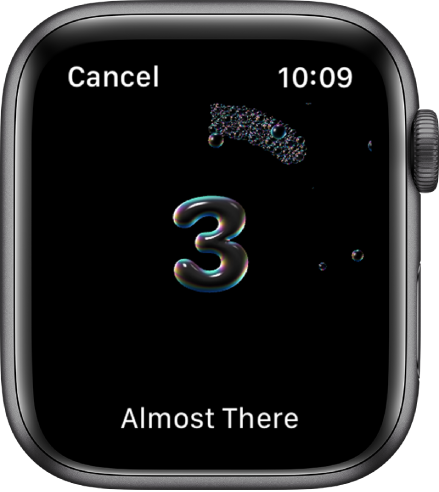
Starting with Apple’s WatchOS 7, there is a new handwashing timer. If you have not seen it yet, please check the video below to understand what it is. In short, it senses when you are washing your hands. Then starts a timer to help you know when it’s been 20 seconds. Once the time is up, you’ve sufficiently washed your hands enough according to the latest science.
Sure, you can sing ♫Happy Birthday♫ twice or count to twenty yourself, but you have a “Smart” watch. Shouldn’t it be… well… Smart?
COVID-19
I have to go there, so let’s get it out of the way. COVID-19 ushered in a new urgency for washing your hands. We all knew we should do it, but many of us rushed through it and said, good enough. We try, but we certainly are not singing ♫Happy Birthday♫ twice every single time. It’s crucial to get this right. After all, according to the FDA, antibacterial soap is not more effective than regular soap and led us down the path towards creating superbugs. Also, washing our hands properly is one of the two most effective ways to deal with COVID-19 (the second is wearing a mask).
Comparison to Other Health Features and Devices
Now, I know what you may be thinking. “How can the handwashing feature be better than tracking your steps, monitoring your heart rate, or following your exercise routine?” Sure, these are all great technical achievements. Someday, maybe we can use this data to drive real changes in behavior or get us better medical care. The key-word here is “someday.”
Do not get me wrong, I love my Apple watch. But I am a tech product nerd. I mostly just love the idea of having that much technology on my wrist. However, in many ways, it is a glorified journal/Pavlovian notification engine. How many people do you think are extracting their health data, analyzing it, and making changes based on what they find? I’ll bet that most people have no idea what to do with the data once they have it.
Let’s compare the Apple Watch to Whoop (hang tight, I assure you this is relevant and I am getting to the point). I mean look at this thing, it’s incredibly boring and uninteresting compared to the Apple Watch…
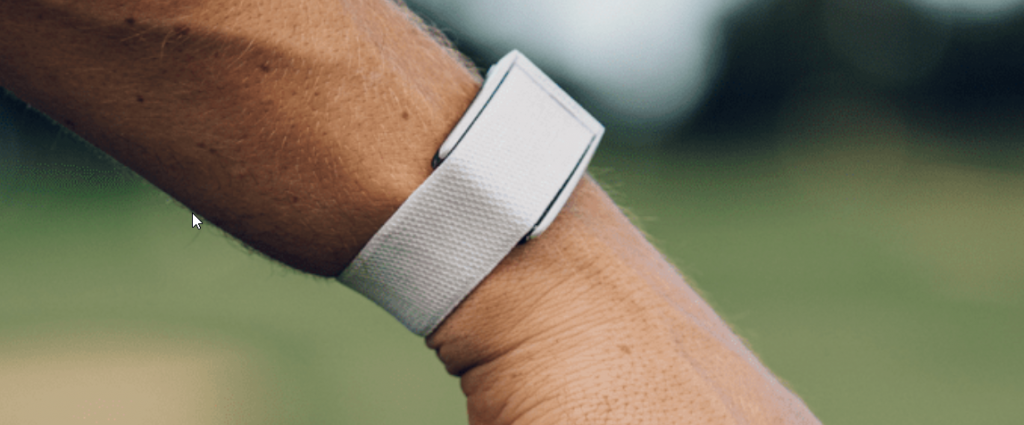
..but, that kind of the point. There is a reason that athletes like Lebron James are wearing a Whoop and not an Apple Watch. Aside from not getting distracted by notifications dinging as he runs up and down the court, the Whoop band provides real actionable data. You see, the Whoop band works on the principle that your variable heart rate can be a good predictor of stress and fatigue. As a result, an athlete and their trainer can make informed decisions about when to push and when to rest their athlete. This leads to protecting your investment as a coach and ensuring a long, healthy career for the athlete.
Putting it All Together
So, what does this have to do with Apple’s handwashing feature?
Just like the actionable data World Class Athletes get from a Whoop band, the handwashing feature:
- Solves a problem
- Is automatic and effortless
- Works consistently
My primary critique about the Apple Watch since the day I first got it, was that I didn’t feel like it was solving a problem. The Apple Watch didn’t make me exercise more or eat less. Didn’t force me to go to sleep at a reasonable hour. It didn’t change my behavior in any meaningful way. It just felt like an extension of my phone. A way to get notifications, pay for goods, and stream podcasts without having to take my phone out of my pocket or grab it from across the room.
However, the handwashing feature is done so well in my experience that even if I started washing my hands and it didn’t register at first, that it was what I was doing, it would begin the countdown retroactively. So, instead of starting the countdown at 20 seconds from when it “registers” the event, it would start at 15 or 10 seconds, which is exactly what you should have left.
Hat’s off to you, Apple. You finally found a feature that changed my behavior for the better and has me washing my hands consistently for the appropriate amount of time.
Now if they can just figure out how to prevent me from shutting it off when I bump the buttons on the side. 🤣