 Over the past month or so I have visited a few sites. I commented on various articles and I couldn’t help but notice, they all had a pretty cool comment system. Normally, I wouldn’t have payed much attention but, I started noticing it was giving me statistics on my comments from other websites. After researching, it quickly became apparent that this comment system should be everywhere. It equally benefits the site admin and the site viewer.
The Admin’s Perspective
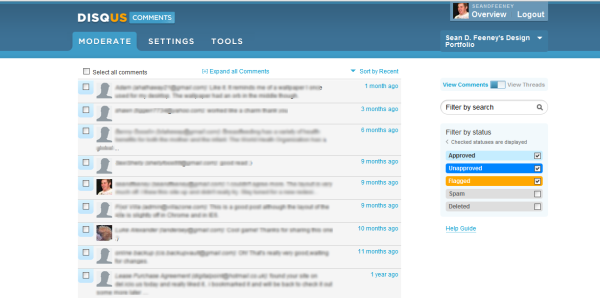
The Disqus team really thought about the user and the admin with this product. Without exaggeration, I was able to apply for a Disqus account, configure the settings and install in under 10 minutes. Disqus supports the most popular blog platforms. My perspective will be from WordPress. After installing, all there was left to do was, add some styling to fit my theme a little better (not that there was much to change because the system is very clean and simple). Disqus even includes a custom styling section where you can add CSS of your choosing, with a built in preview. Unfortunately, the preview only seems to show positioning. Integration with the website is seamless. So seamless, it exports comments from your old comment system and imports it into Disqus with an automated system. Want your site to be mobile friendly? Disqus is now automatically enabled for it’s mobile version. Afraid of getting spammed? Disqus integrates with Akismet. From comment moderation to following discussions away from your site, about your site (reactions), this system has it all.
The Commenter’s Perspective
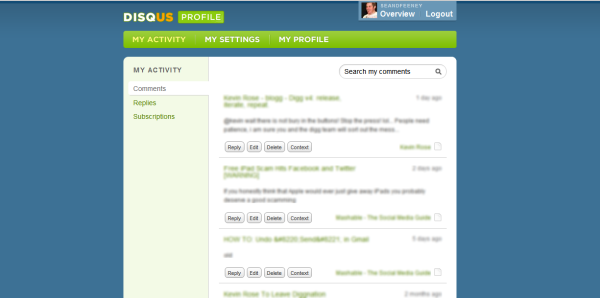
As you go from blog to blog, you may become more and more involved in discussion. However, that discussion usually ends after you move onto the next article or you have to remember the page and go back to it. Not with Disqus. Disqus is a system that stores your comments in their system, as well as, each individual website. Don’t worry because “Disqus does not make any claims to the ownership or control of the comments.” This means that you can create a Disqus profile and then check out all of your comments from http://discus.com/username. Here you can reply to your comment discussions to continue the discussion for all of the comments in once place, without ever having to go back to the individual websites. Even if you don’t want a profile, you can comment using your Twitter, Facebook and OpenID accounts. Disqus adds to the social by allowing other commenters to vote by “liking” your comment. This, in turn, allows comments to be sorted by popularity. Earlier, I mentioned that Disqus has an import feature. When sites import old comments it enables another useful feature. As a commenter with a Disqus profile, Disqus will search through comments from those old systems and allow you to link your old comments into this system.
Room For Improvement
Now that I have Disqus setup, I see a few issues that I would like to check out. Looking through the Knowledge Base, it feels like a glorified FAQ and is not very search friendly. I also wish there was better documentation surrounding how to properly handle your old comment system. As previously noted, the custom code preview doesn’t show your theme and doesn’t appear to show pre-CSS3 code like -moz and -webkit. Yeah, I know, I am nitpicking.
In Conclusion
In my opinion, this is a great product. As you can see this is an incredibly useful tool which is going to revolutionize the commenting systems available today. There are too many features to list here and I am still digging through them all. What are you waiting for? Get over to Disqus.com and let me know what you think in the comments!